
Pro Quoter features — one system from enquiry to paid, not a bag of apps
This is not a tick-box feature dump. Pro Quoter is a connected trade system: capture the enquiry, measure and photograph the job, build the quote from your Price Book, book it in, do the work, invoice and keep records — without Salesforce stages or software you will never open. Built by a real UK tradesman for van life: simple, fast, useful. If you only need one piece, start there; if you want the full thread, it is already wired together.
Why “more features” usually makes trades slower
You already have tools — WhatsApp, a calendar, a spreadsheet, maybe an app someone sold you that you use twice a month. The pain is not missing a checkbox on a comparison page. It is that nothing talks to anything else.
Example: electrician quotes a consumer unit upgrade in a note app, books the job in the phone calendar, invoices in a template, expenses in a photo folder. Customer asks a question three weeks later — you scroll six places to reconstruct the job. A proper system keeps one thread.
- Quotes disconnected from diary and invoice
- Measures and photos lost outside the job
- Same customer quoted three ways with no history
- Paying for CRM modules nobody on the tools uses
How the full Pro Quoter system fits together
- 1
Customer & job record
Name, site, notes — light CRM, not corporate pipelines. Every quote and visit links here.
- 2
Measure & site evidence
Room sizes, photos, access notes saved on the job — ready when you price.
- 3
Quote from your Price Book
Templates, line items, PDF or link — your rates, consistent every time.
- 4
Diary & job management
Book approved work, hand over to your lad, track variations without WhatsApp archaeology.
- 5
Invoice & records
Turn the same scope into money. See paid vs outstanding. Keep proof for tax time.
What you actually get day to day
One thread per customer
Enquiry → quote → job → invoice — not five apps and a notebook.
Mobile-first on site
Built for phone in the van, not a desk job nobody does.
Smart help where it counts, not where it scares
Tidy wording and scope suggestions — you keep control of price and approval.
Offline-friendly saves
Work when signal dies; sync when you are back — rural sites and extensions included.
Full-system checklist (before you buy another app)
| Question | Why it matters for trades |
|---|---|
| Does quoting link to the job? | Stops retyping and scope arguments later. |
| Can you measure and photo on the same record? | Fewer wrong m² and forgotten prep. |
| Is invoicing from the quote? | Protects evenings and cashflow. |
| Will you actually use it on a phone? | If not, it is shelfware. |
| Is it built for UK trades, not generic SMB? | PDFs, language and workflow should feel natural. |
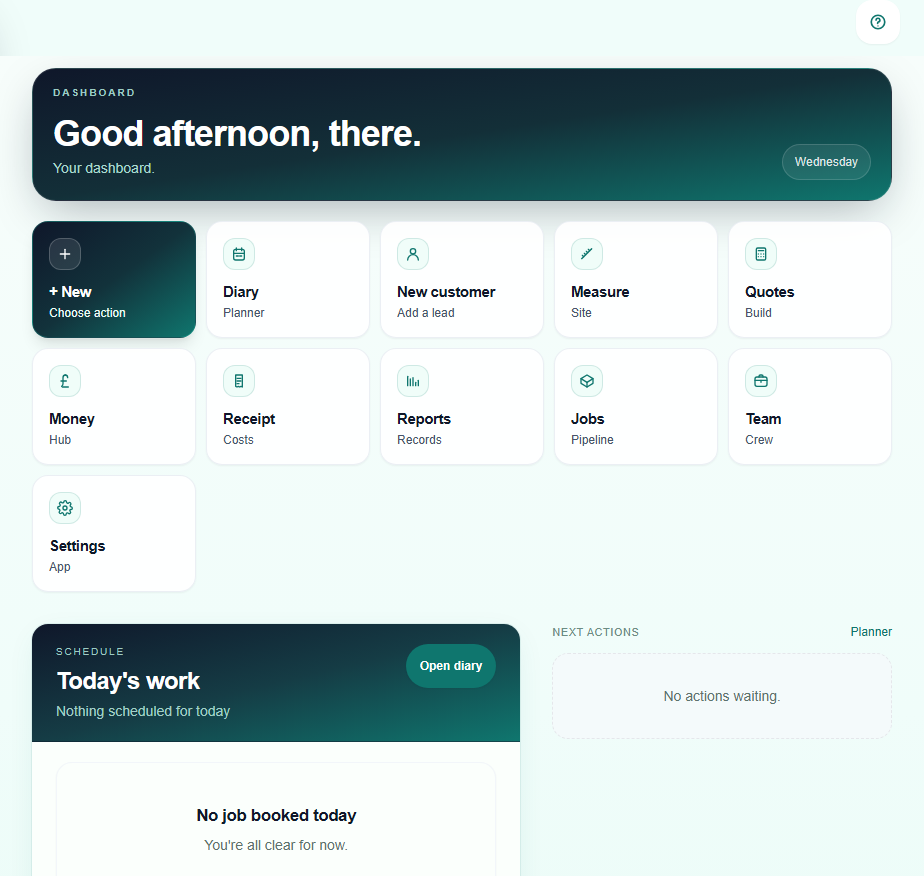
The hub trades actually open
FAQ
- Do I have to use every feature on day one?
- No. Many trades start with quoting and add diary, measure and invoicing as they get comfortable. The point is one system when you are ready — not a forced enterprise rollout.
- Is this a CRM?
- It has customer and job history — light CRM for trades, not pipeline stages and lead scoring. If you want corporate CRM theatre, this is not it. If you want to find last month’s bathroom quote in ten seconds, it is.
- How is this different from Tradify, Jobber or ServiceM8?
- Big platforms have their place. Pro Quoter is narrower on purpose: quote-to-cash for UK trades who want less admin, not every module under the sun. Compare on the workflows you run weekly.
- What trades is it for?
- Tilers, builders, plumbers, electricians, bathroom and kitchen fitters, floor layers — anyone who quotes jobs, runs a diary and needs to get paid without a back-office team.