
Tradesman diary app — see your week, own your schedule
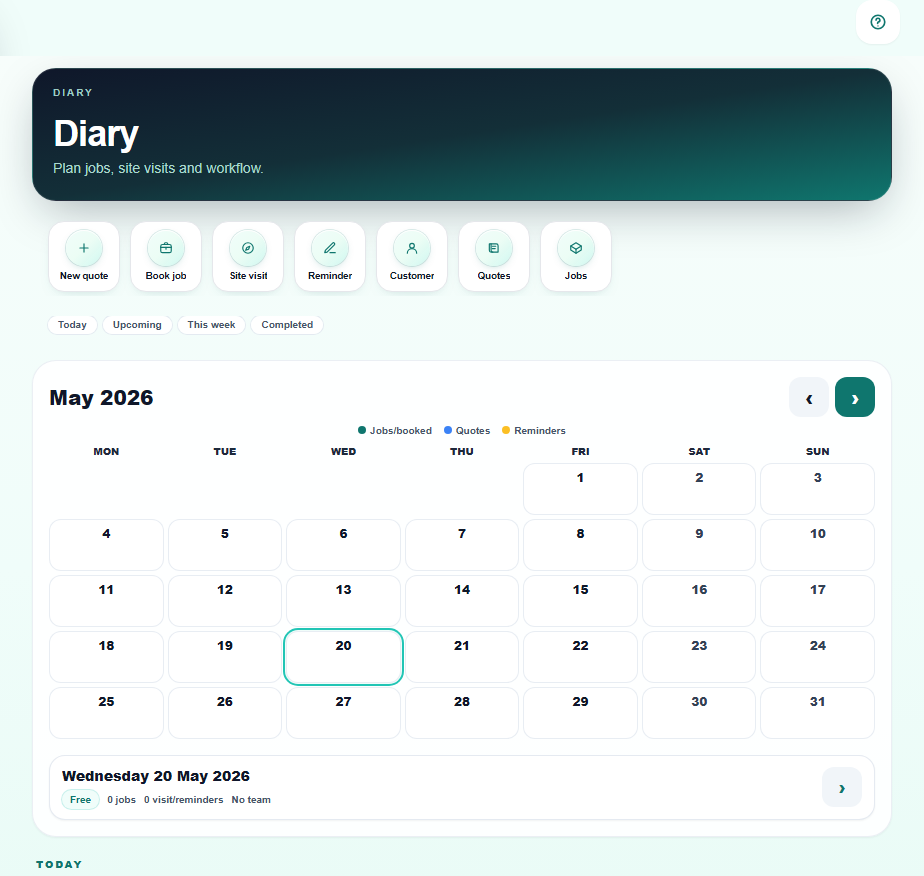
Your diary is probably a mix of WhatsApp threads, calendar reminders, notebook scrawls and memory. A customer calls to book on the same Tuesday you already have on the tools — and you do not notice until you are driving. Pro Quoter's diary gives tradesmen a proper planning view: quotes to follow up, work booked in, reminders that do not get buried. Built by a real tradesman who lost too many bookings to a bad system.
What a bad trade diary costs you
A missed booking is not just lost money — it is a gap in the week, a customer who went with someone faster, and an awkward call you hoped not to make. Most tradesmen run three or four half-diaries in parallel: the phone calendar, WhatsApp messages, a notes app and memory. One slips and you double-book or forget to chase.
Example: a plumber agrees a boiler swap for Thursday, marks it in his phone calendar. Same morning a bathroom fitter calls — he verbally books Thursday assuming he is clear. Two customers, one day, no plan B. A diary app that shows quotes pending, work booked and follow-up reminders prevents that argument.
- Jobs in the phone calendar, quotes in email, callbacks in your head
- No view of which days are full and which have room
- Reminders forgotten when the week gets busy on the tools
- Double-bookings only noticed at 7am on the day
How the Pro Quoter diary works for trades
- 1
See today and the week
Booked jobs, site visits and reminders in one view — no switching between apps.
- 2
Book straight from a quote
Customer says yes — add the work date from the same job thread. Diary and quote stay linked.
- 3
Quote visits on a separate colour
Site visit amber, confirmed work teal — you know at a glance what is pending vs confirmed.
- 4
Set reminders and follow-ups
Chase outstanding quotes, callback reminders and job-day notes in the same diary view.
- 5
Sync across phone and tablet
Diary updated in the van shows on the tablet at home — one source, no crossed wires.
What a trade diary app needs to do
Work and job type separated
Quotes, site visits and booked work in different colours — not one undifferentiated list.
Linked to the job record
Tap a diary entry and see customer, scope, notes and quote without a separate search.
Reminders that fire
Follow-up on an outstanding quote or call a customer back — baked into the diary, not a separate to-do list.
Works offline on-site
View your schedule even without signal — useful on basements and rural plots.
Trade diary app checklist
| Requirement | Why it matters |
|---|---|
| Works on phone in the van | Diary needs to be with you — not on a tablet at home. |
| Separates quotes from confirmed work | Amber vs teal — pending versus booked at a glance. |
| Linked to customer and job | Tap the diary entry, see the full job — no separate lookup. |
| Quote follow-up reminders | Half the diary work is chasing the yes — reminders built in. |
| Offline capable | Estate, basement or rural — diary available without signal. |
Your week in one view
FAQ
- Is this a separate app from the quote builder?
- No — the diary is part of the same Pro Quoter hub. Book a job straight from the accepted quote; tap a diary entry and see the full customer and scope. One thread, not two apps.
- Can I see booked jobs and outstanding quotes in the same view?
- Yes — confirmed work (teal) and quote activity (amber) appear in the same diary. You see what is confirmed, what is pending and what needs chasing without switching views.
- Does it work without internet?
- Core diary views load offline so you can check the schedule on a basement job or in a rural plot with no signal. Updates sync when you are back online.
- Can I set reminders and follow-ups from the diary?
- Yes — add a reminder entry for a quote follow-up, callback or job-day note. They appear in the diary view so they do not get buried in a separate to-do list.
- How is this different from my phone calendar?
- Your phone calendar does not know what you quoted, who owes you money or which jobs need chasing. Pro Quoter's diary is linked to job records — customer name, scope, photos and payment status on the same tap.