
Invoice from the van — get paid without going home first
Every day between finishing a job and sending the invoice is a day the customer does not think about paying you. ProQuoter lets you raise the invoice from the job, send it from the driveway and get paid faster — without needing to go home first.
Why delayed invoices slow your cash flow
Most tradesmen know what they are owed but cannot tell you exactly what is outstanding, when each invoice was sent or what has gone quiet. That is a cash flow problem — not a business size problem.
Invoices sent the same day as the job get paid significantly faster than ones sent a week later. The customer is satisfied, the work is fresh and you have not given them any reason to forget.
- Invoices raised a week after the job from memory instead of notes
- Extras agreed on-site not on the final invoice
- Outstanding payments not chased because tracking was too hard
- Having to wait until home to raise anything
How to invoice from the van with ProQuoter
- 1
Open the job record
Customer, scope and approved quote already there — no retyping.
- 2
Add any extras
Materials bought on-site, additional time, variations agreed during the job.
- 3
Raise the invoice
One tap from the job record — scope carries over from the quote.
- 4
Send it immediately
PDF by email or a payment link by text — customer gets it before you drive away.
- 5
Mark it paid
Payment lands — log it in ProQuoter. Outstanding balance updates instantly.
Why same-day invoicing changes how quickly you get paid
Invoice while it is fresh
Customer just saw the finished job. That is the best moment to send the invoice — not next Tuesday.
Extras captured correctly
Add variations from the job before you forget what was agreed.
Quote carries to invoice
Scope already written — no retyping, no gaps, no rewriting what you already priced.
Always know what is outstanding
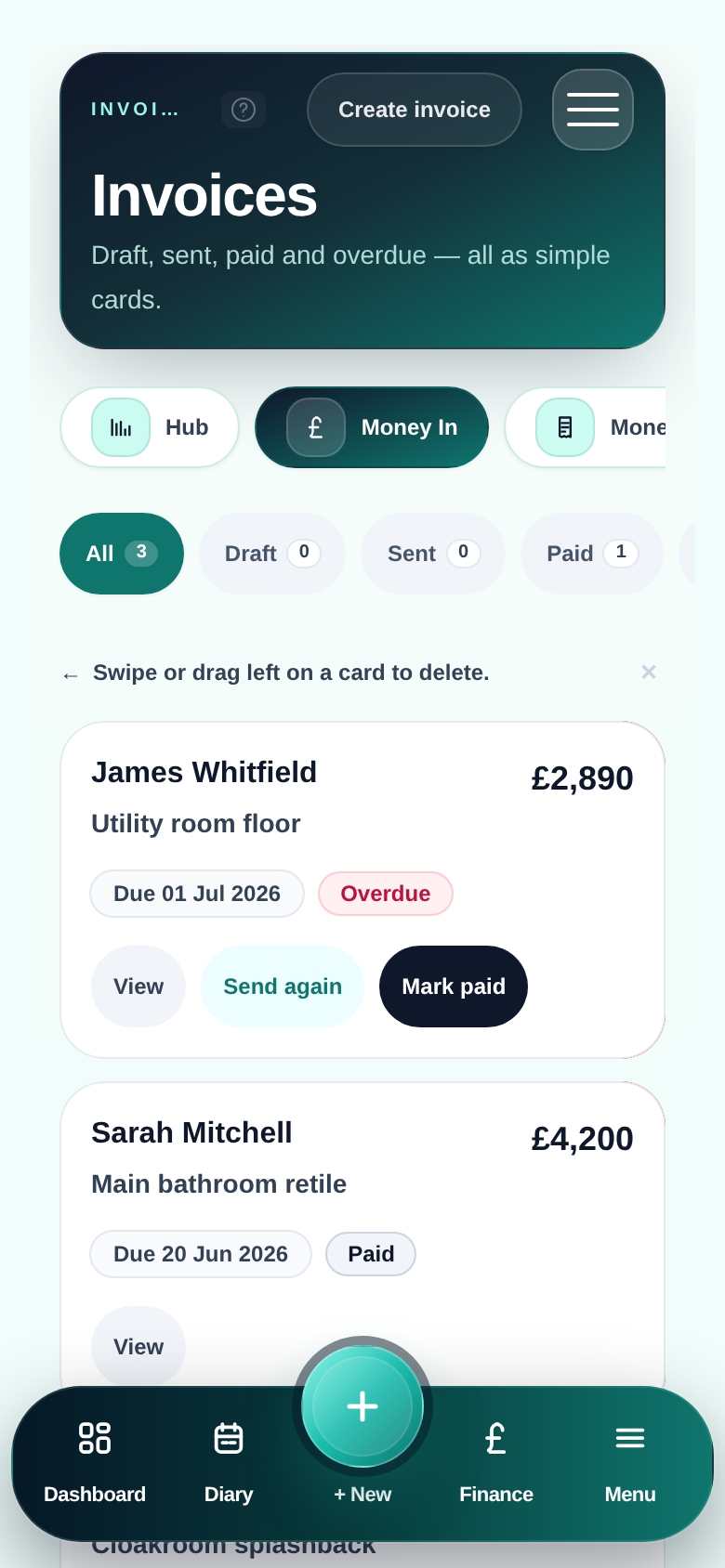
Sent, unpaid and overdue — visible at a glance without a spreadsheet.
Invoice sent before you leave the job
FAQ
- Can I invoice from my phone without a laptop?
- Yes — invoices are raised directly from the job record on your phone. No laptop, no template file, no manual retyping. The scope from the quote carries forward automatically.
- Can I add extras and variations to the invoice?
- Yes — add line items for anything agreed on-site that was not in the original quote. Materials, extra time, variations — all on the final invoice before you send it.
- What does the invoice look like to the customer?
- A clean, professional PDF with your business name, the job details, itemised amounts and total. Exactly what a proper invoice should look like.
- Does ProQuoter track which invoices have been paid?
- Yes — you can see what is outstanding, what has been paid and what has gone quiet. No spreadsheet, no chasing through WhatsApp threads to remember who owes what.