
Invoicing app for tradesmen — raise the invoice before you leave the drive
Every day between finishing a job and sending the invoice is a day the customer does not think about paying you. An invoicing app for tradesmen should close that gap — raise it from the job, send it by text or email, and mark it paid when the money lands. Pro Quoter links invoice to quote so you are not retyping scope you already wrote. Built by a real tradesman who got tired of invoices going out two weeks late because the process was too slow to do from a phone.
Why late invoices cost tradesmen more than they think
Late invoicing is not just cash flow — it is psychology. A customer who has moved on mentally, started the next project or spent the money on something else is harder to chase than one who got the invoice the same day the job finished.
Example: builder finishes a kitchen first fix on Friday. Invoice goes out the following Wednesday because it required a laptop and an evening. Customer pays in 30 days from receipt — that is five weeks from job end. Invoicing from the phone on Friday means paid in under three weeks. Same job, different timing, better cash position.
- Invoices built from memory days or weeks after the job
- Extras agreed on-site not captured — margin lost
- No view of what is outstanding vs paid without a spreadsheet
- Invoice process that requires a laptop and a quiet evening
How to invoice from your phone with Pro Quoter
- 1
Finish the job
Job complete — open the record on your phone while the details are fresh.
- 2
Add on-site extras
Additional materials, extra time, variations agreed verbally — add them before you forget.
- 3
Raise the invoice
One tap from the job record — customer, scope and quoted amounts carry over.
- 4
Send immediately
PDF by email or a link by text — customer gets it while you are still on the drive.
- 5
Mark paid when money lands
Payment notification or bank check — log it in Pro Quoter. Outstanding clears.
What a trade invoicing app needs to do
Raise from the job, not from scratch
Quote scope carries to invoice — customer name, site, itemised lines already there.
Capture extras before they are forgotten
On-site additions added on the phone the same day — not guessed from memory next week.
Send by phone immediately
Text or email from the same app — no downloading PDFs and sending from a separate app.
Track outstanding without a spreadsheet
See what is sent, what is overdue and what is paid without building a tracker in Excel.
Invoicing app checklist for tradesmen
| Feature | Why it matters |
|---|---|
| Works from phone immediately | Invoicing from a laptop at home loses days and cash flow. |
| Links to the quote | No retyping scope you already wrote — consistent professional output. |
| Captures on-site extras | Extras missed on the invoice are extras worked for free. |
| Sends by text or email | Most customers pay from a phone — send where they can act immediately. |
| Tracks paid and unpaid | Know what is outstanding at a glance — no guessing from bank statements. |
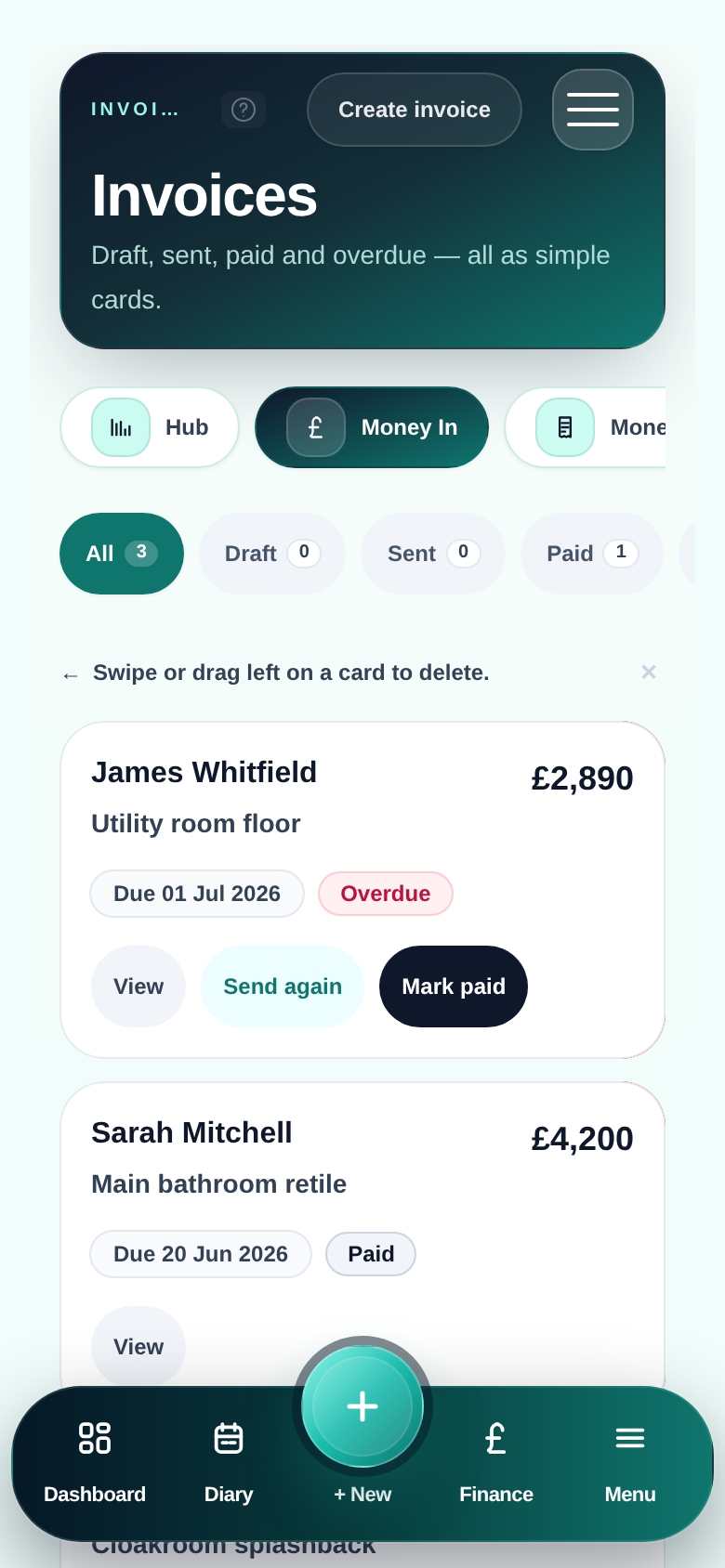
Invoice raised before you start the engine
FAQ
- Does the invoice pull from the quote automatically?
- Yes — when you raise an invoice from a job record, the customer, site address and scope from the accepted quote carry over. You add extras or adjustments; you do not retype the whole job.
- Can I send invoices by WhatsApp or text?
- You can send a PDF by email directly from the app. For WhatsApp, share the PDF from your phone — most tradesmen do this in two taps. Customers who live on WhatsApp get the invoice the same day.
- Can I track who has paid and who has not?
- Yes — invoices show as sent, outstanding or paid. You see what is owed without opening a spreadsheet or scrolling through bank statements. Mark invoices paid when money lands.
- What about VAT on invoices?
- Pro Quoter handles VAT on invoices correctly — standard, reduced and zero-rated lines. If you are VAT registered, the invoice shows VAT breakdown; if not, it shows net totals. Your accountant will not have to fix the maths.
- Is this only for sole traders?
- No — Pro and Team plans support multiple users. Small teams can have lads raise job records on site and the business owner invoice and track payment from one view. Everyone on the same thread.